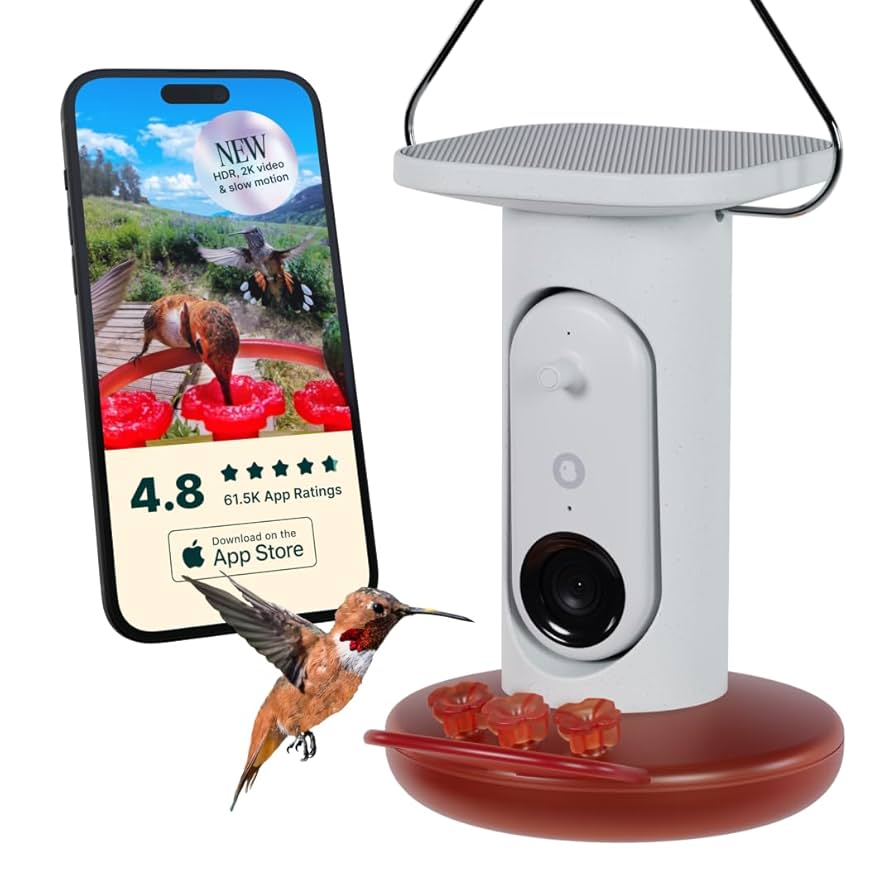
Are you ready to bring the joy of birdwatching right to your fingertips? Pairing your Bird Buddy is the first step to unlocking a world of feathered friends and stunning photos.
Whether you’re a beginner or have some experience, this guide will walk you through the simple steps to connect your device quickly and easily. By the end, you’ll be set up to enjoy real-time bird identification and capture beautiful moments in your backyard.
Keep reading, and let’s get your Bird Buddy ready to explore nature together!

Credit: play.google.com
Prepare Your Bird Buddy
Make sure your Bird Buddy is fully charged before starting. A low battery can cause pairing issues. Place Bird Buddy near your phone or tablet to keep the connection strong.
Turn on Bluetooth on your device. This is needed for Bird Buddy to connect. Also, install the Bird Buddy app from the app store. Open the app before you try to pair.
- Charge Bird Buddy completely
- Keep Bird Buddy close to your phone
- Turn on Bluetooth on your phone
- Download and open the Bird Buddy app
Check for any updates in the app. Updates can fix bugs and improve pairing. Restart your phone if the device does not appear in the app. This can help refresh the connection.
Download The Bird Buddy App
Download the Bird Buddy app from the App Store or Google Play. The app is free and easy to find. Once downloaded, open the app and create an account. Use a valid email and a strong password for security. The app will guide you through setup steps. Make sure your phone’s Bluetooth and Wi-Fi are on. This helps the app connect to your Bird Buddy device quickly. The app lets you see bird photos and learn about them. Regular updates improve app features and fix bugs. Keep the app updated for best performance.
Connect To Wi-fi Network
Make sure your Bird Buddyis near your Wi-Fi router. Open the Bird Buddy app and find the Wi-Fi settings. Select your home Wi-Fi networkfrom the list. Enter your Wi-Fi passwordcarefully. The app will try to connect your Bird Buddy to the network.
Wait a few moments. The device will show a confirmation messagewhen connected. If it does not connect, check your password and try again. The Bird Buddy needs a strong Wi-Fi signalto work well.
Pair Device With App
Begin by downloading the Bird Buddy app from the app store. Make sure your device is charged. Open the app and find the pairing option. Follow the on-screen instructions carefully. Ensure your phone’s Bluetooth is on. Bring your Bird Buddy close to your phone.
When the app detects the device, a message will appear. Tap connectto start pairing. Wait for the process to finish. Your Bird Buddy is now paired. Explore the app features to enhance your bird-watching experience.
Troubleshoot Pairing Issues
Check that your Bird Buddy is fully charged before pairing. Make sure the Bluetooth on your phone is turned on and working properly. Keep your phone close to the Bird Buddy device to avoid connection issues. Restart the Bird Buddy and your phone to refresh the connection. Ensure the Bird Buddy app has permission to access Bluetooth and location services.
Clear any previous pairing from your phone’s Bluetooth settings to prevent conflicts. Try to pair in an area with little interference, away from other Bluetooth devices. Update the Bird Buddy app and your phone’s operating system to the latest versions. If problems continue, uninstall and reinstall the app.
| Issue | Solution |
|---|---|
| Device not found | Restart devices and keep them close |
| Bluetooth disconnects | Check phone settings and app permissions |
| App crashes | Update or reinstall the app |
Credit: support.mybirdbuddy.com
Credit: gearjunkie.com
Frequently Asked Questions
How Do I Start Pairing My Bird Buddy Device?
Turn on Bird Buddy and open its app. Follow the on-screen instructions to connect.
What Should I Do If Bird Buddy Won’t Pair?
Check your Wi-Fi and Bluetooth. Restart the device and app, then try pairing again.
Can I Pair Bird Buddy With Multiple Phones?
Yes, Bird Buddy supports multiple devices. Just install the app and log in on each phone.
Conclusion
Pairing your Bird Buddy is simple and quick. Follow the steps carefully to connect the device. Enjoy watching and learning about birds easily. This guide helps you set up without stress. Start your bird-watching journey with confidence today. Stay patient and take your time during setup.
Soon, you will see your feathered friends clearly. Keep the Bird Buddy handy for many fun moments. Happy bird watching!