
Are you wondering if your Bird Buddy is charging properly? It can be frustrating not knowing whether your device is getting the power it needs.
But don’t worry—understanding how to tell if your Bird Buddy is charging is easier than you think. You’ll discover simple signs and quick tips to check your device’s charging status. By the end, you’ll feel confident that your Bird Buddy is ready to capture every bird visit without missing a beat.
Keep reading to make sure your birdwatching never stops!
Bird Buddy Charging Basics
Bird Buddyneeds a specific charger to work properly. It uses a USB-C cable for charging. The charger should provide a 5V output with at least 1A current. Using a charger with less power may slow down charging or not charge at all.
Not all chargers fit Bird Buddy. It is best to use the original charger or one that matches the required specs. Chargers from phones, tablets, or power banks usually work if they have USB-C and the right output.
- Use a USB-C chargerwith 5V and 1A or more
- Check the charger’s output on the label
- Avoid chargers with higher voltage to prevent damage
- Original or certified chargers give the best results
Physical Indicators Of Charging
The LED lighton Bird Buddy shows if it is charging. A steady red lightmeans charging is in progress. When the light turns green, the battery is fully charged. If the light blinks, it may mean a connection issue.
The charging portmust be clean and connected firmly. A loose or dirty port can stop charging. Check the cable is plugged into the port tightly. The device should not move during charging.
App Notifications And Alerts
Bird Buddy sends clear notifications to show charging status. A green light or alert on the app means it is charging properly. Check app alerts to confirm the battery is filling up.
Battery Status Updates
The app sends battery status updates to your phone. You’ll know if the Bird Buddy’s battery is full or low. These updates help you plan when to charge your device. Look for a battery icon in the app. It shows how much power is left.
Charging Progress Display
When charging, the app shows a charging progress display. This tells you how much charge your Bird Buddy has. A progress bar fills up as the battery charges. You can see charging speed and time left until full. This feature helps you keep track of charging.
Credit: gearjunkie.com
Troubleshooting Charging Issues
Check the LED lighton Bird Buddy. A solid or blinking light shows charging.
Make sure the charger is properly connected to both Bird Buddy and the power source.
Try a different power outlet or USB cable if there is no light.
Clean the charging port gently to remove dust or dirt blocking the connection.
Restart Bird Buddy by turning it off and on to reset the charging system.
Keep Bird Buddy away from extreme temperatures; too hot or cold can stop charging.
| Common Problem | Simple Fix |
|---|---|
| No LED light | Check power source and USB cable connection |
| Charging light blinks slowly | Ensure charger fits properly and clean the port |
| Device not charging | Restart device and try a new charger |
| Overheating during charge | Charge in a cool, dry place |
Optimizing Charging Efficiency
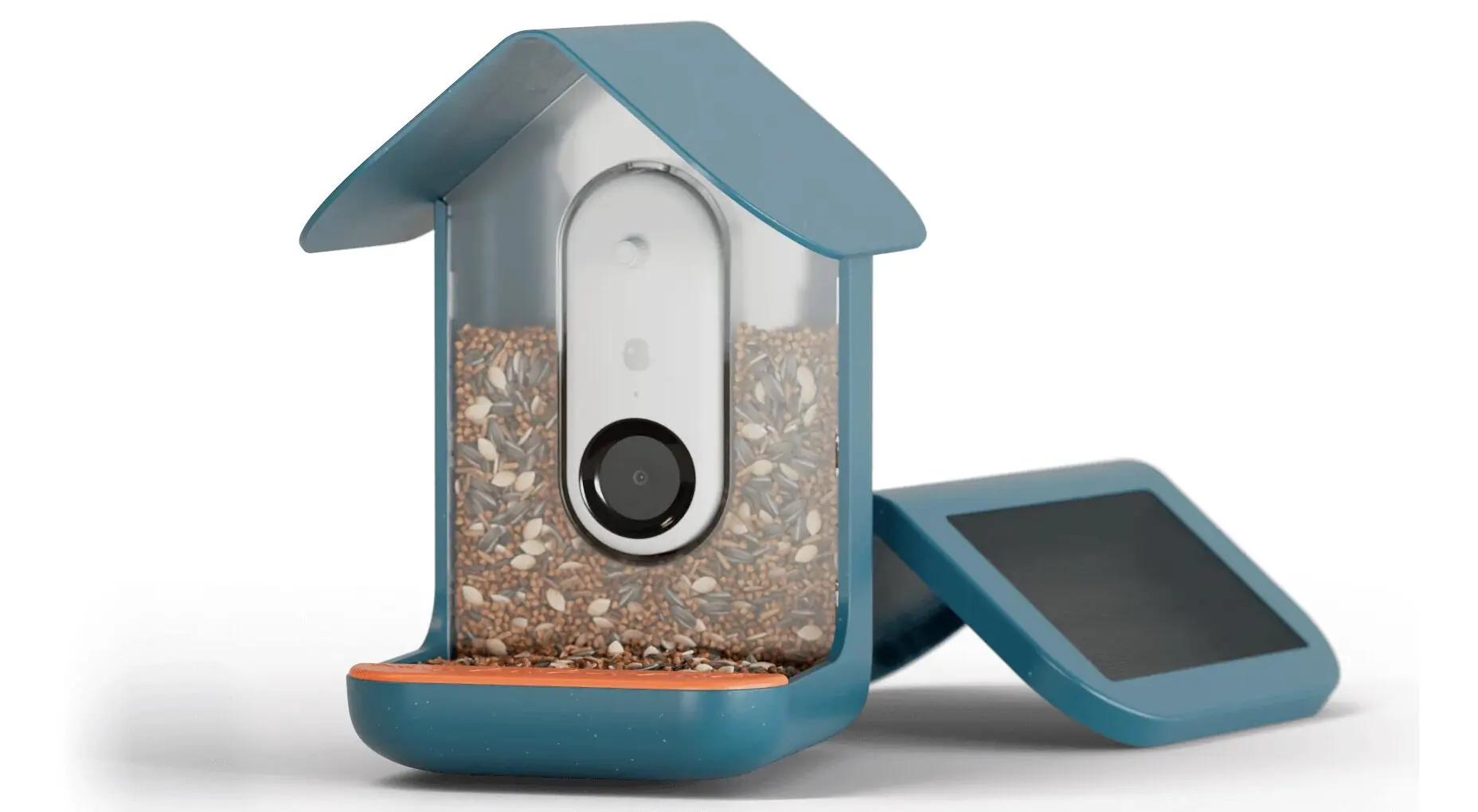
Keep Bird Buddyin a place with good sunlight for best charging. Avoid spots that are too dark or shaded. A clean solar panel helps the device charge faster. Dust and dirt can block sunlight and slow charging.
Use a flat surface to place Bird Buddy. Tilt it slightly to catch more sun. Charging works best in direct sunlight, not through windows or glass.
- Keep Bird Buddy away from water or extreme heat.
- Charge during the day for at least 4-6 hours.
- Check for a blinking light that shows charging.

Credit: www.amazon.com
Credit: www.popsci.com
Frequently Asked Questions
How Do I Know If Bird Buddy Is Charging?
Look for a small light indicator on the device. It glows when charging is active.
What Color Is The Charging Light On Bird Buddy?
The charging light usually turns red or orange during charging and green when full.
Can I Use Bird Buddy While It Is Charging?
Yes, Bird Buddy works normally even when connected to the charger.
Conclusion
Knowing how to tell if Bird Buddy is charging helps avoid surprises. Check the LED light near the charging port. A steady or blinking light usually means charging is active. Make sure the charging cable fits snugly and the power source works well.
Keep your Bird Buddy fully charged for the best experience. This simple check saves time and keeps your device ready for birdwatching anytime. Stay attentive to these signs to enjoy your Bird Buddy without interruptions.